
How to Sell Temu Products on SellBano (Step-by-Step Guide with Photos)
By SellBano · 11 Visual Steps
In this visual guide, you will learn how to add Temu products to SellBano in just a few minutes and start earning — with zero investment required.
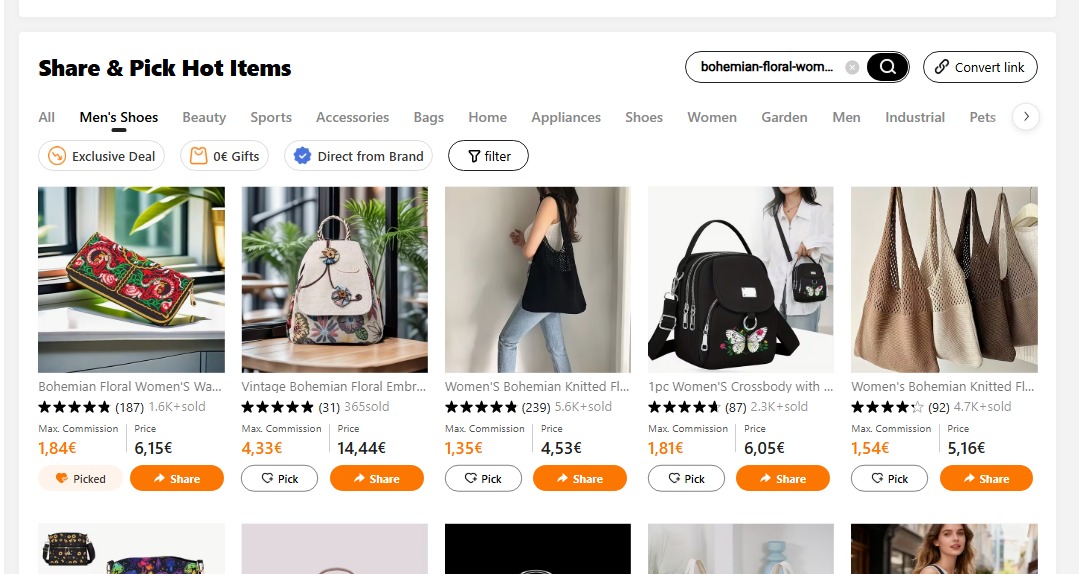
Step 1: Open Temu and Find a Product
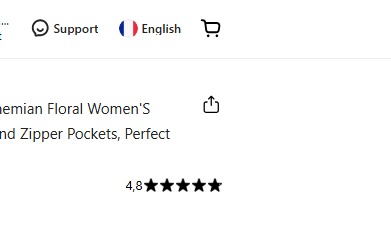
Go to temu.com and search for a product with high demand and a good price. Look for items with many reviews and 4+ stars rating.
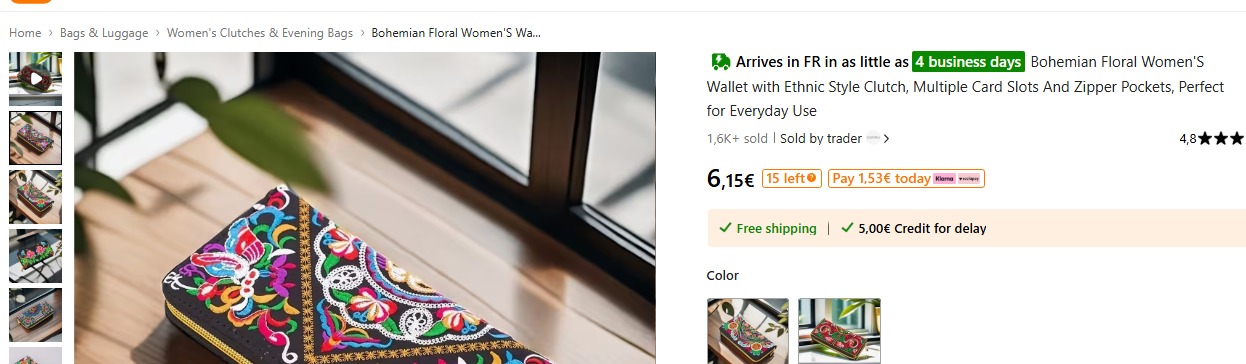
Step 2: Copy the Product Title
Copy the full product title. Use it exactly or simplify it for your SellBano shop. A clear title helps customers find your product.
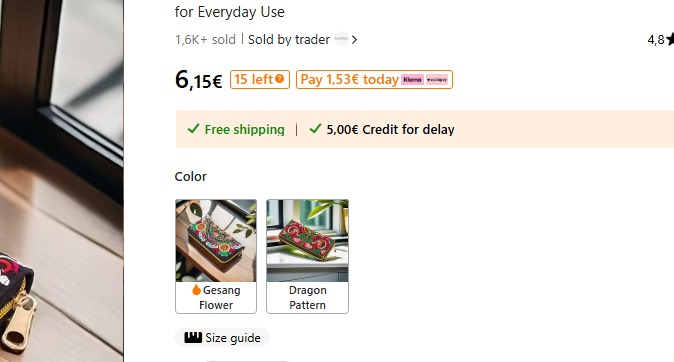
Step 3: Copy the Product Price
Note the original price on Temu. You can set a slightly higher price on SellBano to earn your commission margin.
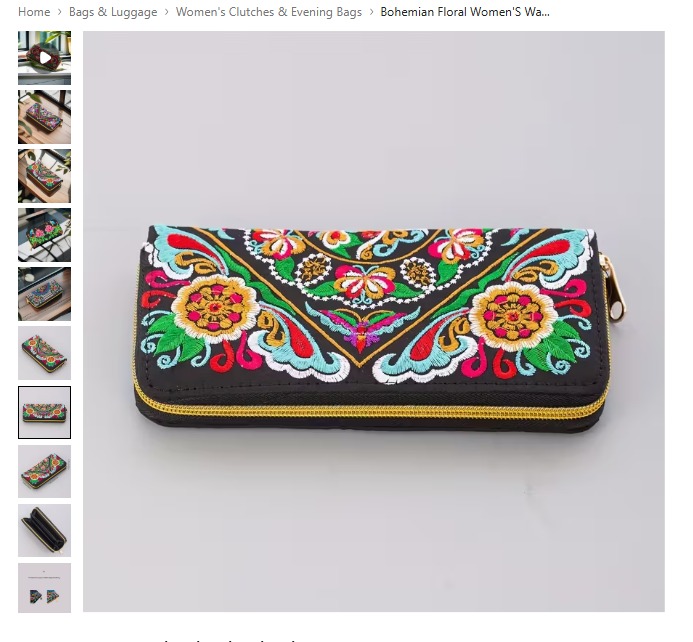
Step 4: Save the Product Images
Download the best product images from Temu. Choose clear photos with white or clean backgrounds. These will be uploaded to your shop.
Step 5: Convert Product Link to Affiliate Link
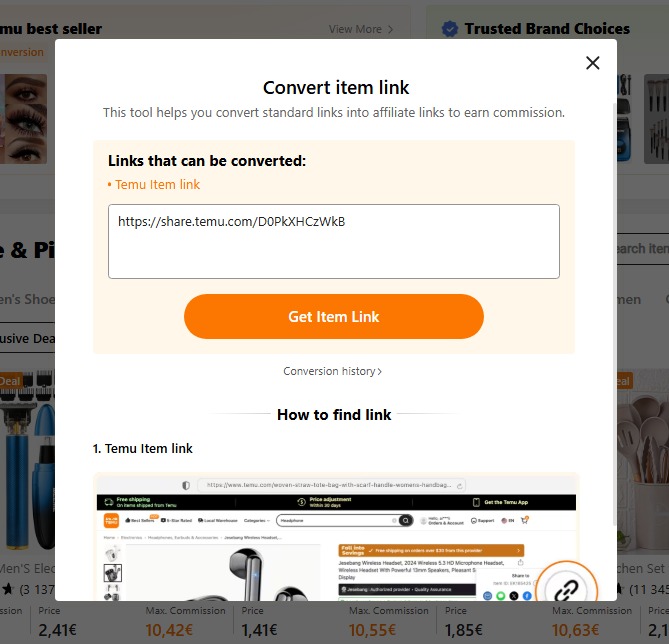
On the Temu affiliate dashboard, find "Convert Item Link" tool. Paste the product URL → click "Get Item Link" → copy the new affiliate link generated. This is the link that earns you commission when someone buys.

Step 6: Go to SellBano Dashboard
Open sellbano.com and log in to your account. Click on your shop name to go to your dashboard.

Step 7: Click "Add Product"
In your dashboard, find and click the "Add Product" button. This opens the product upload form.
Step 8: Upload Product Images
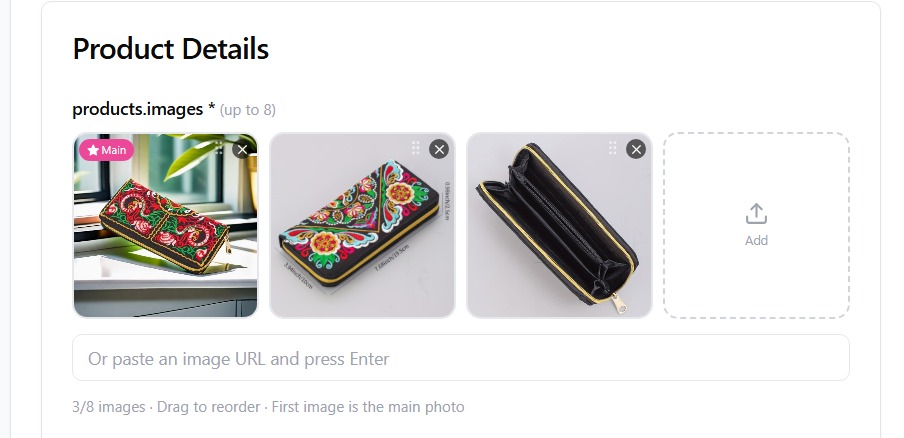
The first field is images. Upload the photos you saved from Temu. Add up to 8 images. The first image is the main photo — choose your best one.
Step 9: Enter Product Name and Description
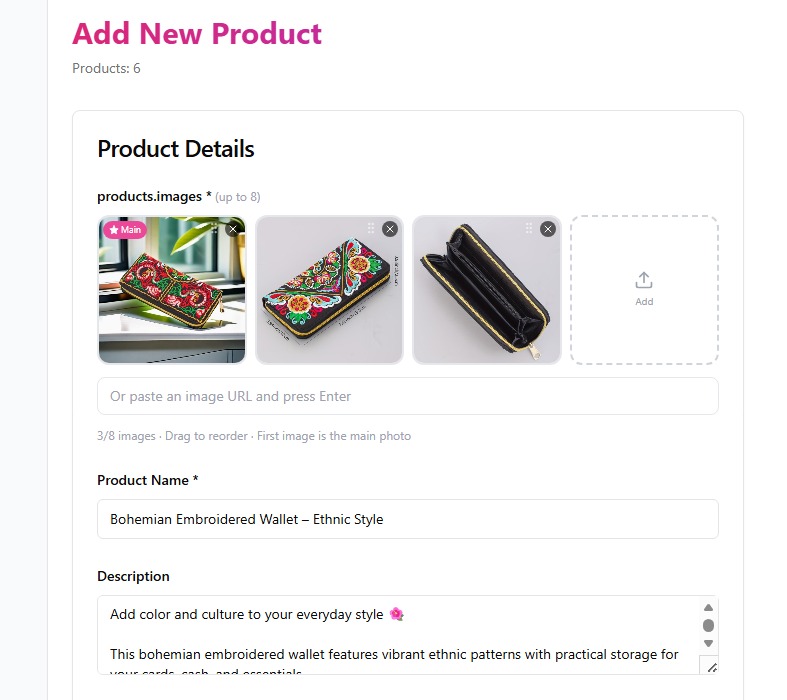
Type the product name you copied from Temu. Then write a short, clear description — mention the main features, material and why it is a good product.
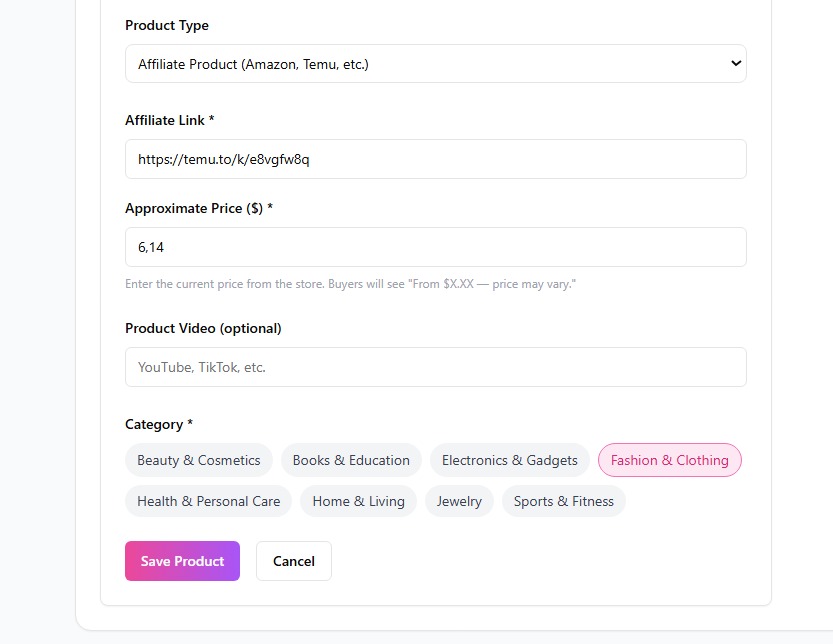
Step 10: Set Type, Link, Price, Video, Category — then Save
Select "Affiliate Product" as type → paste your Temu link → enter the price → add a video link if you have one → choose the category → click "Save Product". Done!
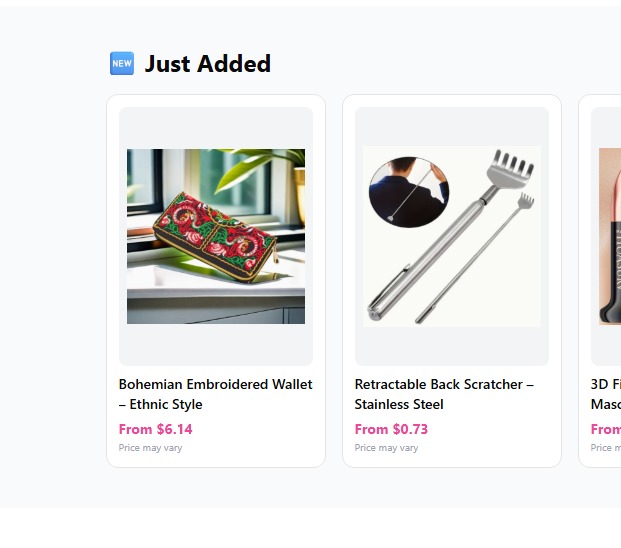
Step 11: Product is Live in Your Shop
Your product is now published and visible in your shop and the SellBano marketplace. Customers can find it and click to buy.
🚀 After Publishing — What Next?
Copy Your Shop Link
Go to dashboard overview and copy your unique shop link.
Share on WhatsApp
Paste your link in WhatsApp groups with a short message.
Share on TikTok, Instagram & Facebook
Post your link in bio, stories and groups. Make short product videos.
Copy Your Referral Link
Share your referral link too — when someone signs up, you get a bonus!
💡 Pro Tips
- ✓Choose products priced between $5–$30 — they convert best
- ✓Look for products with 1000+ positive reviews
- ✓Add at least 5 new products every week
- ✓Add trending (bestseller) products from Temu first
- ✓Write a clear and compelling title to help customers buy more easily
🚀 Start Right Now!
Create your free shop on SellBano and upload your first Temu product today.